

AI Podcast Clip Maker with 2-Speaker Split
Turn 16:9 video podcasts and two-person interviews into 9:16 vertical Shorts with auto 2-speaker split and word-by-word captions.
One long recording becomes ready-to-post 9:16 Shorts
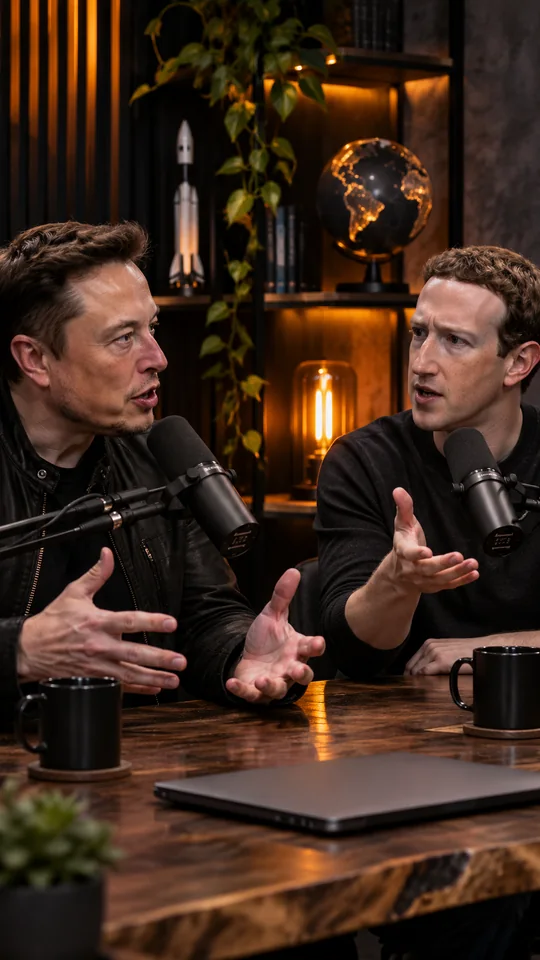
How Solo Creators Build Audience & Revenue With Short-Form Video
Creator Economy Podcast · Ep. 118
How AI Clipping works
- youtube.com/watch?v=podcast42:181
Import your full podcast episode
Paste a YouTube podcast link up to 2 hours long or upload a studio MP4/MOV file into Podcast Clip Maker. AI transcribes every word with millisecond timestamps across 50+ languages.
- 9:16Score 9806:14–06:582
Auto 2-speaker split & SmoothedCameraman
When two podcast hosts or guests appear in the frame, Podcast Clip Maker stacks them vertically into top and bottom 9:16 halves and places captions on the center divider.
- 1080pMost solo creators overthink3
3-second hook banner + broadcast loudness
Every exported podcast clip opens with a 3.2-second high-contrast hook banner at the top of the frame and EBU R128 (-14 LUFS) audio normalization so both podcast voices sound balanced.
Why video podcasters use AI Podcast Clip Maker
Turn one weekly podcast episode into 5 to 10 vertical clips for TikTok, Reels, and YouTube Shorts in minutes.
| Feature | AI Clipping | Opus Clip / Klap / Vizard | OpenShorts Cloud |
|---|---|---|---|
| Starting price & model | $9 one-time pack (120 min) or $12/mo (180 min) | $15–$29/mo recurring subscription only | $12/mo for 100 min (subscription only) |
| Credit expiration | One-time packs valid for 365 days (no monthly reset) | Unused monthly minutes expire every 30 days | Unused monthly quota resets each billing cycle |
| 9:16 speaker framing & layouts | SmoothedCameraman face tracking, auto 2-speaker split & screencast blur fill | Auto framing locked behind higher paid tiers | Track, 2-speaker split & blur fill |
| Watermark removal speed | Instant 1080p clean master unlock (0s re-render wait) | Requires paid plan + re-export queue | Instant clean master unlock on paid plans |
| Audio & TikTok/Shorts safe zone | -14 LUFS loudness normalization · 15% UI safe-zone guide · 3s top hook banner | Raw source volume · Captions often covered by platform UI | -14 LUFS loudness + 15% bottom safe zone |
| Failed upload protection | 100% automatic credit refund if processing fails | Failed imports often deduct from monthly quota | Depends on job stage |
Simple, transparent pricing for creators
Pay only for the length of the video you upload—never per clip exported. Choose a monthly plan or grab a one-time minute pack.
Starter
Billed annually at $120/year (2 months free)
180 minutes of video / month
For creators publishing vertical clips every week
- Up to 10 vertical clips per video
- All 4 animated word-by-word caption styles
- 1080p Full HD downloads with no watermark
- Download .SRT subtitle files
- Automatic minute refund if processing fails
Pro
Best valueBilled annually at $290/year (2 months free)
600 minutes of video / month
For active podcasters and multi-platform creators
- Up to 10 vertical clips per video
- All 4 animated word-by-word caption styles
- 1080p Full HD downloads with no watermark
- Download .SRT subtitle files
- Automatic minute refund if processing fails
Studio
Billed annually at $590/year (2 months free)
1,500 minutes of video / month
For daily clipping channels and production studios
- Up to 10 vertical clips per video
- All 4 animated word-by-word caption styles
- 1080p Full HD downloads with no watermark
- Download .SRT subtitle files
- Automatic minute refund if processing fails
AI Podcast Clip Maker FAQ
How does the 2-Speaker Split layout work in AI Podcast Clip Maker?
+
When two speakers sit on the left and right sides of a 16:9 podcast recording, AI Podcast Clip Maker crops each speaker into a 9:8 panel, stacks them vertically into a 1080×1920 (9:16) frame, and moves the animated subtitles to the center seam.
Does Podcast Clip Maker normalize volume differences between the host and guest?
+
Yes. Every rendered podcast MP4 passes through an FFmpeg EBU R128 loudness normalization filter (-14 LUFS, -2.0 dB true peak) so quiet guests and loud hosts play evenly on mobile speakers.
Can I download separate .SRT subtitle files for my podcast clips?
+
Yes. Every podcast clip includes both the 1080p MP4 with burned-in animated captions and a standalone .SRT subtitle file at no extra credit cost.